Extracting wifi password with python

Hello Coders !!!
In this article blog, I'll show how you can extract all the wifi passwords from the windows machine.
DISCLAIMER
This article/blog is for educational purposes, any use of this code for unwanted practice is not advised if done so the writer of this article/blog doesn't take any responsibility.
Let's get started
import subprocess
import re
First, we will import subprocess to execute the windows commands through python and re for regex.
def main():
    command_output= subprocess.run(["netsh", "wlan", "show", "profiles"], capture_output= True).stdout.decode()
    profile_names = (re.findall("All User Profile     : (.*)\r", str(command_output)))
After importing the necessary packages we list all the user profiles in the Pc with the following commands.
netsh wlan show profiles display all the wifi profile.
    if len(profile_names) != 0 :
            for names in profile_names:
               check = subprocess.run(["netsh", "wlan", "show", "profiles", names], capture_output= True).stdout.decode()
Now first we have checked if we have profile_names to extract the passwords from, After getting all the profile names we will loop into every profile_names that we have fetched by executing the above commands.
netsh wlan show profiles names ( here in the names variable we have the name of the wifi or ssid name )
re.findall() is used to find all the occurrences that match the given pattern.
     if re.search(" Security key           : Absent", str(check)):
                    continue
            else:
                paswd = subprocess.run(["netsh", "wlan", "show", "profiles", names ,"key=clear"], capture_output= True).stdout.decode()
                get = re.search("Key Content            :(.*)\r", paswd)
                if get == None:
                    print (f"profile {names} password None")
                else:
                    profile = {
                        'ssid' : names,
                        'Password' : get[1],
                    }
                    print (profile)


if __name__ == "__main__":
    main()
Then we searched for the Security Key if it is absent we leave that profile and continue for the next one.
netsh wlan show profiles names key=clear shows the password for that ssid name as a Key content
re.search() only return the first occurrence that matches the specified pattern.
Snippet
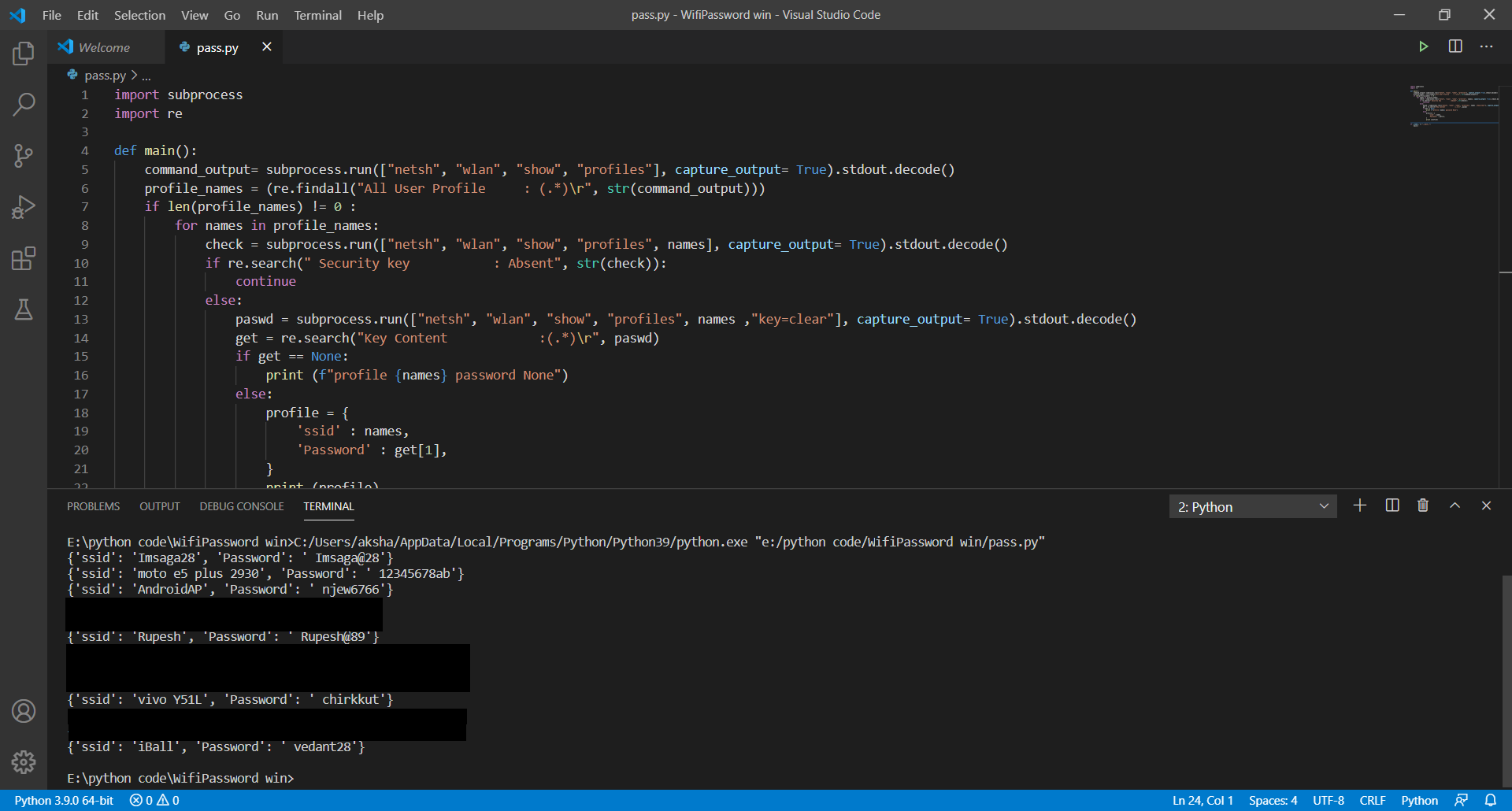
Follow me on Instagram techworld_security
Github repository for code wifi
If you find it useful then please give it a star.

